Fully-Typed Blade Views and Partials in Laravel

Muhammad Raheel
September 5th, 2025 · 8 min read
Blade is messy. We all know it. Developers pass associative arrays into views and switch between multiple partials, view and controller to remember what data is being passed. It works but sometmes it becomes cumbersome and frustrating.
I wasn’t okay with that. I wanted discipline in Blade—the same autocomplete and strict typing I get in PHP classes. And now I’ve taken it one step further: not just autocomplete, but hard guarantees that if you pass the wrong type of data into a view or partial, it explodes with a clear error message.
This article shows you how I did it.
Why Blade Fails Us
Laravel developers are used to Blade being loose. You pass an array into a view or use compact().
$posts = Post::all();

$data = [
    'posts' => $posts
];

return view('home', $data);

// or

$posts = Post::all();

return view('home', compact('posts'));
And inside home.blade.php you just assume $posts exists and is a collection of Post. But Blade doesn’t care. Your IDE doesn’t know. And if someone passes Comment::all() instead, you won’t find out until the UI looks broken.
This is silent failure at its worst.
My Approach: Enforce Types at Runtime
I built two simple building blocks:
- TypedViewFactory – A custom view factory that parses
@vardeclarations at the top of Blade files and enforces them. - TypedViewServiceProvider – Wires everything into Laravel automatically.
The result: if you declare a type in a Blade file, Laravel must pass the correct class, array, or collection. Otherwise, it throws an exception.
Declaring Types in Blade
Here’s what it looks like:
Main View
{{-- home.blade.php --}}
@php
    /** @var App\ViewModels\HomeViewModel $model */
@endphp

<h1>{{ $model->title }}</h1>
If you pass anything other than HomeViewModel
Partial
{{-- _post.blade.php --}}
@php
    /** @var App\Models\Post $post */
@endphp

<div>{{ $post->title }}</div>
Now when you include postPost
Arrays and Collections with Generics
I didn’t stop at simple types. I wanted full support for arrays and collections.
@php
    /** @var \App\Models\Post $post */
@endphp

// Other example
@php
    /** @var \App\Models\Post[] $posts */
@endphp

// Yet another example
@php
/** @var \Illuminate\Support\Collection<\App\Models\Post> $posts */
@endphp
When you pass data, it doesn’t just check the container type. It checks every element:
- If
$postEloquent model, it fails. - If
$postsEloquent Post model - If
$postsCollection
Exceptions in Action 🚨
This is the fun part. When something’s wrong, you get a clear error message. You get precision.
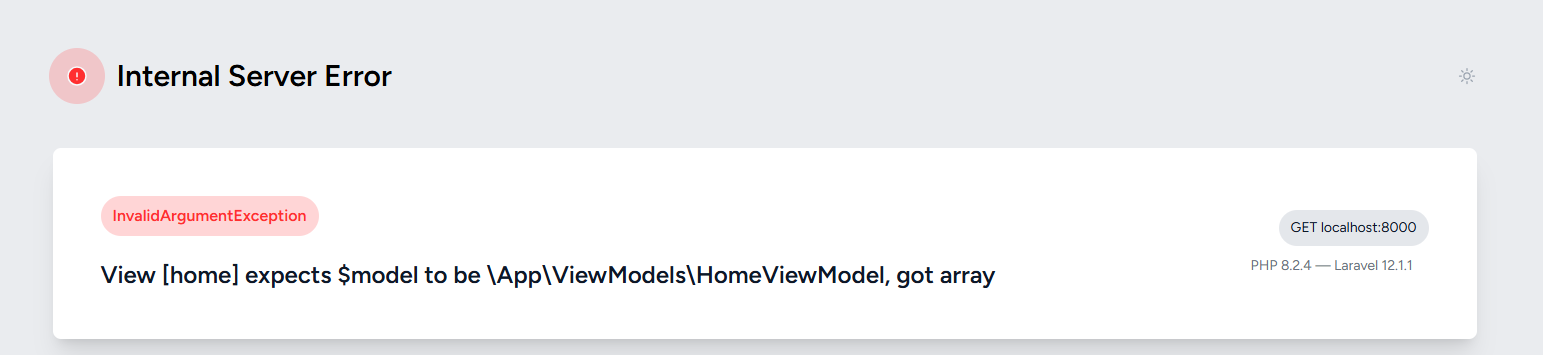
Case 1: Wrong type in main view
View [home] expects $model of type App\ViewModels\HomeViewModel,
but got string.
And here's the error view.
Case 2: Wrong type in partial
View [partials.post] expects $post of type App\Models\Post,
but got string.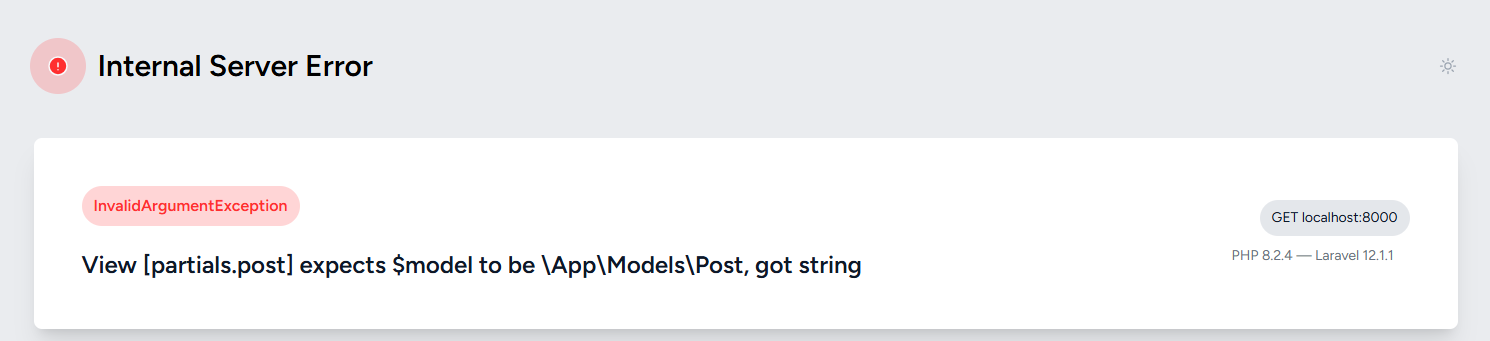
The Code Behind It
Here’s the engine:
TypedViewFactory
- Hooks into Laravel’s view system.
- Reads
@var - Validates data types (including arrays and collections).
TypedViewServiceProvider
- Registers the custom view factory in Laravel.
Why This Matters
Typed views aren’t about being fancy. They’re about discipline.
Most Laravel apps loose their common behaviour in blade partials. Arrays of random data, fragile partials, missing fields nobody remembers. With typed views:
- Your IDE knows what’s available.
- Your code complains when you cheat.
- Your future self won’t hate you.
Controllers must hand over the right ViewModel. Partials must receive the class they expect. Everything becomes predictable.
Final Thoughts
So yes, I had to ditch Laravel Intellisense and Laravel Intelliphence. They weren’t built for this. PHP Tools by DevSense gave me autocomplete. And now, my Typed-View system enforces contracts in Blade at runtime.
If you’re tired of Blade being a guessing game, it’s time to try it yourself.
This is part of my bigger effort to bring structure and discipline to Blade. Check out my earlier posts if you haven’t already—and keep an eye out for the package release.
Code available here.
GitHub - raheelshan/typed-blade-views: Brings discipline to your blade views
Brings discipline to your blade views. Contribute to raheelshan/typed-blade-views development by creating an account on GitHub.
github.com
Raheel Shan | Clean Laravel Controllers Using ViewModels and the AQC Pattern
Learn how to simplify Laravel controllers by using custom ViewModel classes combined with the Atomic Query Construction (AQC) pattern. A practical guide for structuring clean, maintainable Laravel apps.
raheelshan.com
Raheel Shan | Laravel Blade Autocomplete with PHP Tools by DevSense
Ditch IntelliSense and IntelliPhense. Learn how to enable real autocomplete and typed Blade views in Laravel using PHP Tools by DevSense.
raheelshan.comIf you found this post helpful, consider supporting my work — it means a lot.

Raheel Shan | Support my work
Support my work
raheelshan.comFound this useful?
Support the work that goes into these posts.