Leadpin
Export business names, phones, emails, websites and full listing attributes from a map search straight to CSV.
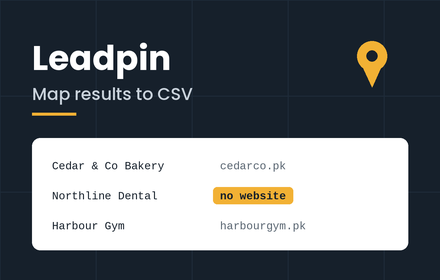
Every business in your city, in one spreadsheet
Type your cities, type an industry, press Start. Leadpin runs the searches itself and hands you a finished lead sheet.
Enter Austin, Dallas, Houston and dentists. Leadpin searches each city on
Google Maps in turn, scrolls the whole result list, opens every listing and
reads it, then moves to the next city on its own. You get one CSV you can open
in Excel, Google Sheets, or import straight into your CRM.
How it works
1. Open Google Maps
Any page. You don't need to search for anything first.
2. Enter your cities and an industry
Comma-separate as many cities as you like. Set a per-city cap, or leave it at zero for everything.
3. Press Start, then go do something else
Pause it, resume it, or discard it at any point. The run keeps going while you work in other tabs.
Built to match your address book
Import-ready column order
The sheet opens with the columns your address book expects, in its order:
Address Book Name (source) · Name · Email · Mobile · Country · City · State · Designation · Industry
No re-ordering, no copy-paste between columns. Download and import.
Source tracking on every row
Address Book Name (source) carries the search that produced the row —
dentists in Austin — so a five-city run stays one file while every record
still knows where it came from.
Stop at Industry
Tick Stop at Industry and the sheet is exactly those nine columns, nothing after them — a file that drops straight into your address book with no tidying up.
It saves time as well as columns. Everything through Industry is read from the listing panel already on screen, while every column past it needs the listing's About tab, which costs an extra step on every single business. Stopping at Industry runs roughly 40% faster.
Leave it unticked and you get everything below instead. The checkbox also controls the export, so one full run can produce both files: tick it afterwards and download the nine-column version from rows you already have.
Everything else follows
Website, has-website, menu link, Google's own business category, zipcode, full address, street, rating and review count, price level, dine-in / takeaway / delivery, domain, opening hours for the whole week, current open status, plus code, coordinates, and a Place ID so two exports merge without duplicates.
Where the data comes from
Address components, parsed
Google hands over one unsplit address string and nothing else —
1100 Congress Ave, Austin, TX 78701, United States. Leadpin breaks it into
country, city, state and zipcode as separate columns, so you can filter to
Texas or sort by ZIP instead of writing formulas at midnight. ZIP+4, UK and
Canadian formats are handled too.
Email on every run, never an option
Google Maps holds no email address at all. Leadpin reads each business website and pulls the address published there, on every run, with no setting to forget.
Industry, however Google labels it
The Industry column holds the industry you searched for, falling back to Google's own category when the two differ. Google's raw label is kept in its own column beside it.
Plus every attribute the listing holds
Most exporters stop at the phone number
Leadpin also reads each listing's About tab, so a restaurant export gets Dine-in, Takeaway and Delivery as their own filterable columns, alongside service options, dining options, offerings, atmosphere and payment methods.
Different industry, different columns — automatically
A gym export gives you amenities, accessibility and membership requirements. A hotel gives you highlights and what it's popular for. You configure nothing; the spreadsheet builds its columns from whatever the listings actually contain.
Negatives are captured, not left blank
If a restaurant doesn't deliver, the Delivery column says no — not empty.
Blank means Google has no data; no means the business has stated it. If you
sell delivery software, that distinction is your entire target list.
The no-website filter
Every business running on a phone number alone
Every row has a Has website column reading yes or no website. Sort by
it and there's your list. For web designers and agencies, that's the shortest
path from search to first call.
Unclaimed listings, flagged
A Claimed column marks listings still showing Google's "Claim this business" prompt. A business that hasn't claimed its own listing usually hasn't got much else sorted either.
You stay in control of the run
Pause and resume
Pause holds the run between listings and keeps everything collected so far. Resume picks up exactly where it stopped, even if the run has moved on to another city in the meantime.
Discard
Ends the run and clears the collected rows in one action, for when a search turns out to be the wrong one. It asks for confirmation first.
It works from inside the map
Leadpin puts a button in the bottom-right corner of Google Maps. Click it and the controls open right there — no popup that vanishes the moment you click the page, and no losing your place when the tab moves on to the next city.
Keeps running in the background
Chrome deliberately slows down tabs you aren't looking at, and freezes their timers almost completely after about five minutes. That stalls most extensions of this kind the moment you switch tabs.
Leadpin works around it three ways: it keeps the tab exempt from Chrome's heaviest throttling for the duration of a run, it hands long waits to a background service worker whose timers aren't slowed, and it watches the page for changes directly instead of waiting on a timer that may barely fire.
Background runs are still slower than foreground ones, and a minimised window is worse than a background tab. For a long run, leave the window open on another monitor or another desktop.
Nothing gets lost
Every row is saved the instant it's read. Pause halfway, close the panel, or close the tab entirely — what you've already collected is still there and still exportable. A run that gets interrupted tells you so and lets you start again, instead of leaving the tool stuck.
Honest about the limits
Emails land for roughly 30–50% of small businesses
Contact forms, script-rendered pages and bot protection return nothing. No tool can extract an address that isn't published.
Designation is always empty
It's in the column order because your address book expects it, but Google Maps lists businesses, not the people inside them. There is no contact name or job title to collect, with or without Stop at Industry. The column arrives blank for you to fill.
Google caps every search at around 100–120 results
That's a Google limit, not ours, regardless of how many businesses exist. A
search for dentists in Texas returns about a hundred rows, not a state's
worth. Cover a metro by queueing its areas as separate entries in the same
run — Austin, Round Rock, Cedar Park, Pflugerville — and the Place ID column
removes any overlap.
Budget 4–7 seconds per business
Plus up to 10 seconds per website for the email lookup. A hundred businesses is 12–18 minutes, or roughly 8 with Stop at Industry ticked. It runs unattended, so this matters less than it sounds.
Privacy
Everything runs in your browser. Exports stay on your machine. No analytics, no server that sees your data, nothing sold to anyone.
Independent tool, not affiliated with, endorsed by, or sponsored by Google.
What you get.
Instant download
Your ZIP file is ready the second payment clears — no waiting.
Lifetime access
Pay once. The download link and email copy are yours to keep.
Ready to install
Everything is packaged and ready to drop straight in.
Free updates
If this item gets a revision, you get the new version at no cost.

Sold by
Muhammad Raheel
Fullstack Developer
Questions.
What do I get after paying?
A ZIP file with everything you need, delivered instantly on a download page and emailed to you as a backup.
How do I get it after paying?
You are redirected straight to a download page, and a copy of the link is emailed to you at the same time.
Is there support if something breaks?
Reach out via the contact page and we will help sort it out.
$39.00
One-time payment · instant delivery
- Instant ZIP download
- Lifetime access
- Free future updates